
Progress and achievements
Badlen keeps a list of twenty-four small things to do, grouped in four tiers, at
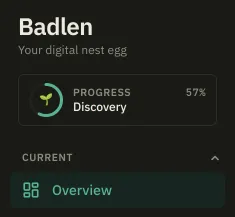
/progression. It is not in the left-hand menu: the ring at the top of the sidebar is
the way in, and on a fresh instance the Discover Badlen card on the dashboard is the
other one.
The list exists because most of what the product can tell you needs something from you first. Advice over an empty portfolio says nothing; a budget over uncategorized operations says very little. Each tier ends on a line, What this changes, naming what the application can do once that tier is done.
The four tiers
Section titled “The four tiers”| Tier | Name | What it is for |
|---|---|---|
| 🌱 | Discovery | Seven steps: an account with a value in it and your investor profile, so net worth, allocation and advice stop being empty. |
| 🌿 | Getting started | Seven more: three accounts, ten sorted operations, three months of history, which is enough for the figures to be representative. |
| 🌳 | Command | Six: rules that file what arrives, dated accounts, two-factor authentication, a budget accurate enough to use. |
| 🏆 | Expert | Four: the course finished, 95% of operations filed, six months of history, one export taken. |
How one gets ticked
Section titled “How one gets ticked”Most of them are read from your own data every time the page is opened, so there is
nothing to claim: add a third account and Track three accounts is ticked on the next
read. Ones that count show the count (2/3, 64/90) rather than a bar, because the
fraction says how much is left.
The rest are things only your browser knows, sent once when you do them: picking a theme, trying privacy mode, reading a Concept card, opening a simulator, finishing a chapter of the course.
Two of them never need a click. Three months of history and Six months of history count from the day you signed up, or from the oldest point on your curve if it reaches further back. Importing older operations does not move them, because what they measure is recorded history rather than typed history.
Once earned, kept
Section titled “Once earned, kept”An achievement that has been earned stays earned: deleting the account that earned it, or turning two-factor authentication back off, does not take the tick away. The one exception is an achievement that is true only because it does not apply to you: dating your PEA and life-insurance accounts when you hold none. It shows as done and is not written down, so it comes back the day it starts applying.
Unlocking one raises a card at the bottom right of the screen, one per tier rather than one per achievement, which lingers half a minute and pauses while the pointer or the keyboard is on it. An instance older than a day does not get a burst of them on its first read: what was earned before is recorded as already seen.
Reset achievements, in Settings, forgets the ones that were reported from the browser. The ones computed from your own data tick again straight away. Delete your account is where that button is, beside the heavier ones.